 Slate
$15USD / month
Choose Yearly and save $30 (two months free).
$0 today, payment method required. Subscribe skips the trial and starts your plan today.
Slate Runner is a browser-based workspace for independent filmmakers. Plan the story on index cards, write the screenplay, break it down, schedule it on a stripboard and build the call sheet. The script carries forward at every step.
$15USD / month
Choose Yearly and save $30 (two months free).
$0 today, payment method required. Subscribe skips the trial and starts your plan today.
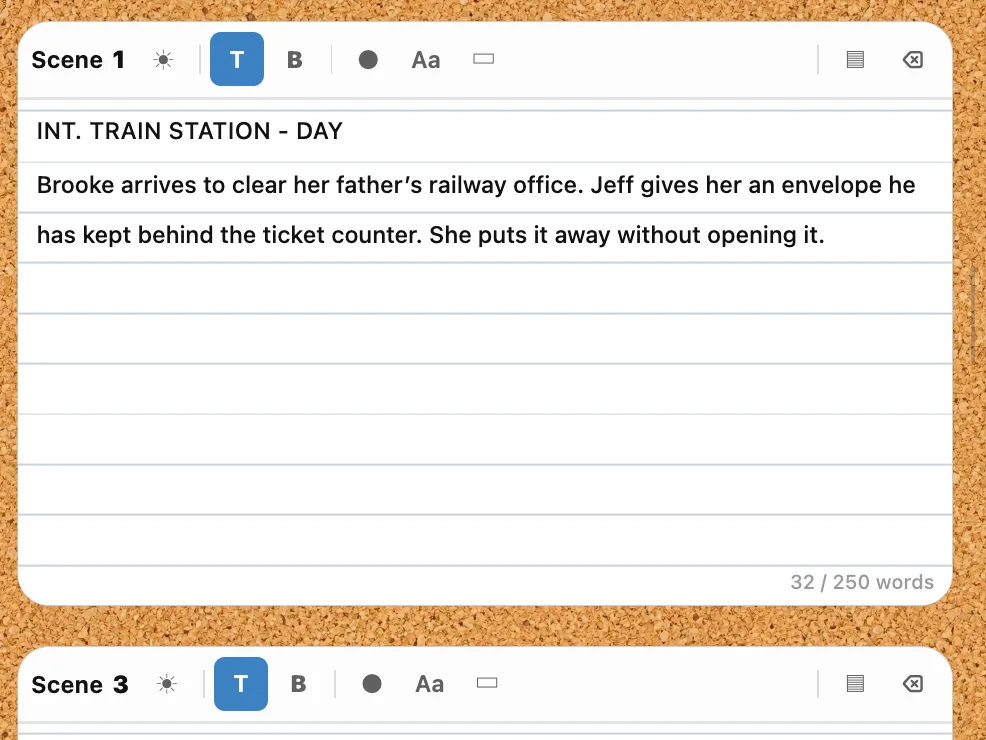
Lay the film out as lined index cards, grouped by act. Each card holds a scene heading and a short summary. When the structure holds, send it to Draft and start writing.
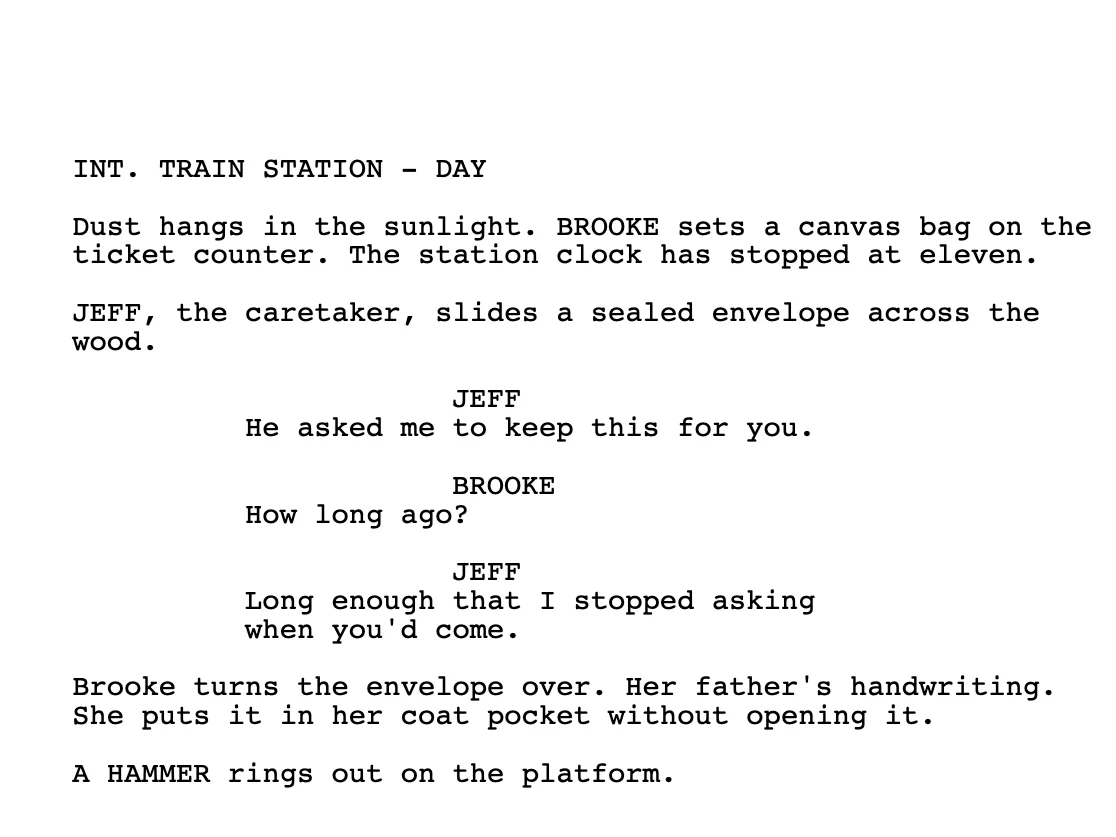
Draft handles scene headings, action, character names and dialogue in industry-standard format. A navigator beside the page lists every scene, character and location, so a long script stays easy to move around in.
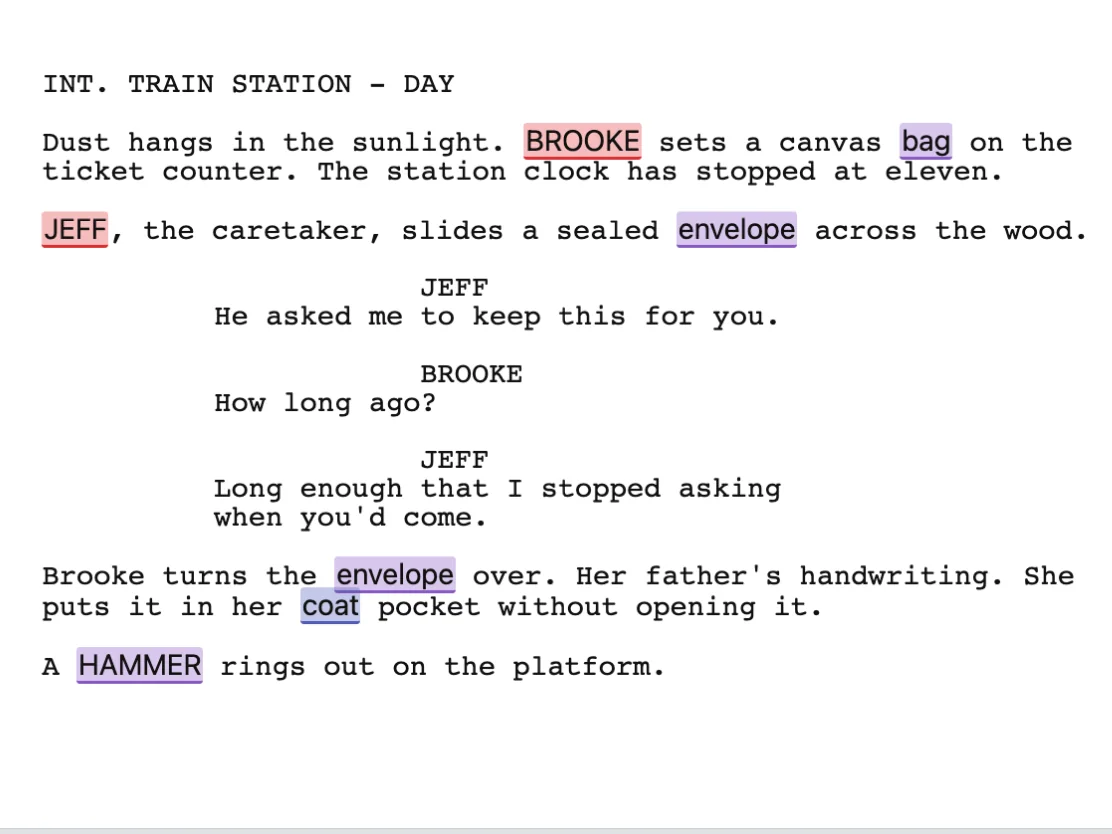
Highlight a name or an object in the script and tag it as cast, a prop, wardrobe, a vehicle or an effect. The elements for the scene collect in a list beside the page, and every scene shows how far along it is.
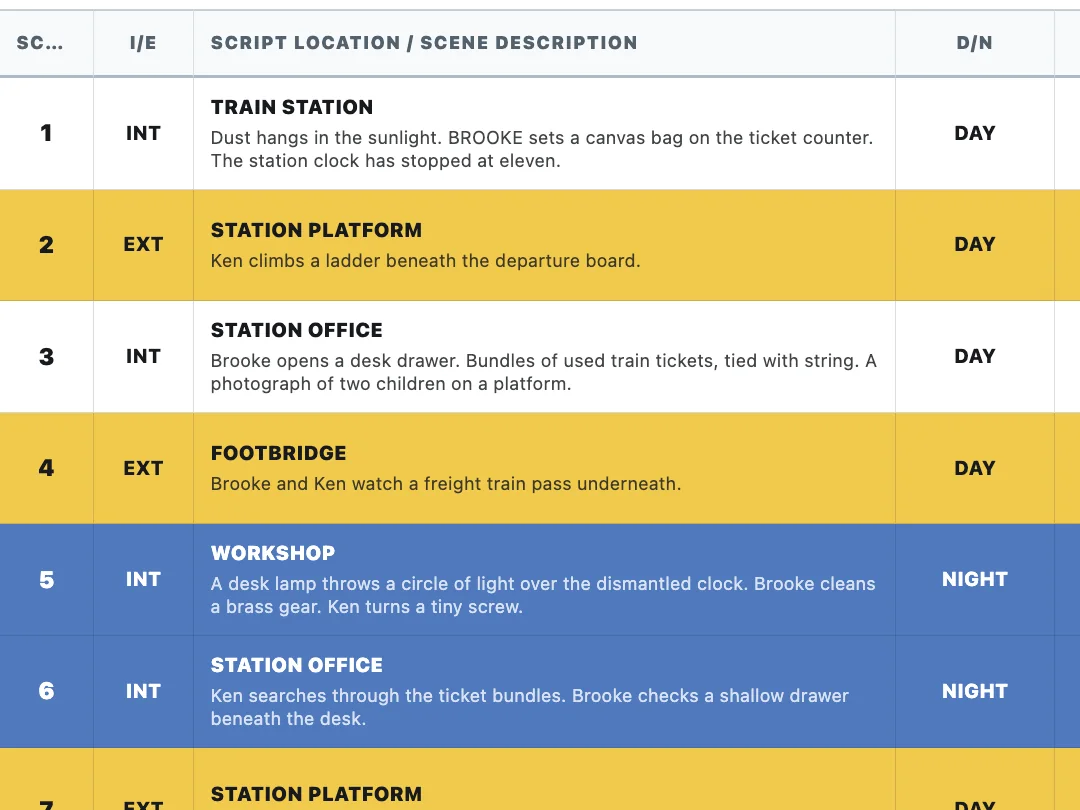
Scenes arrive as color-coded strips showing interior or exterior, day or night, cast and page count. Arrange them into shoot days and watch the totals for each day as you go.
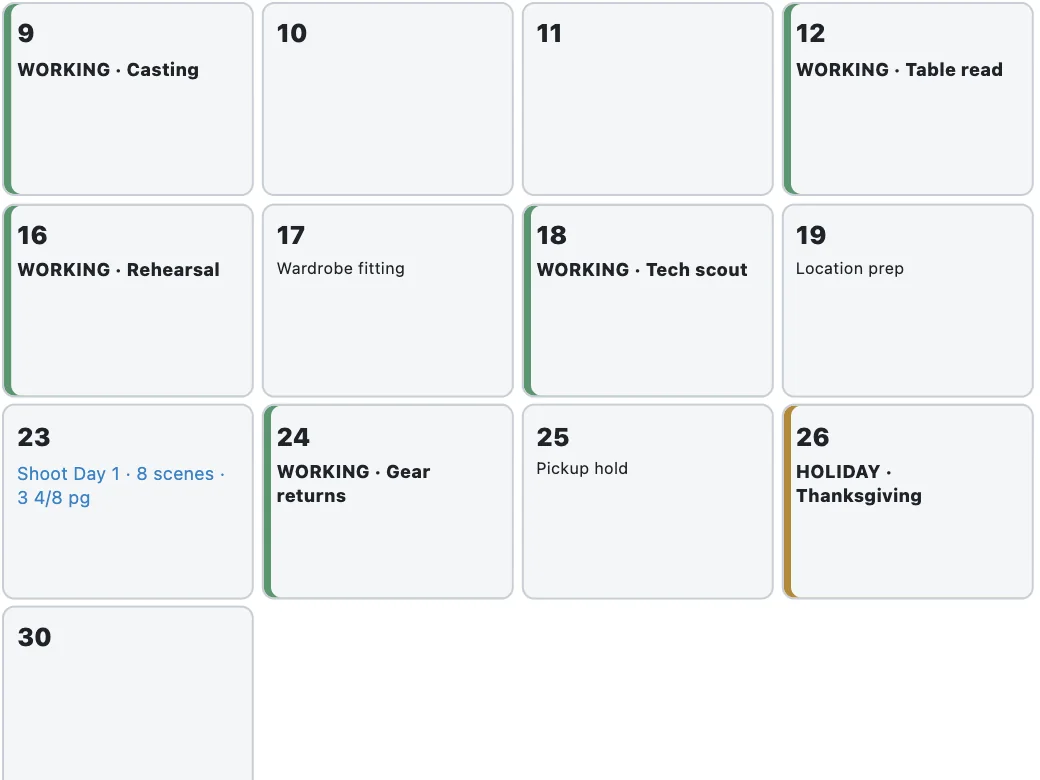
The production calendar places each shoot day on its date, with its scene and page totals. Drag a shoot day to move it, and mark other dates as working, off, holiday or travel.
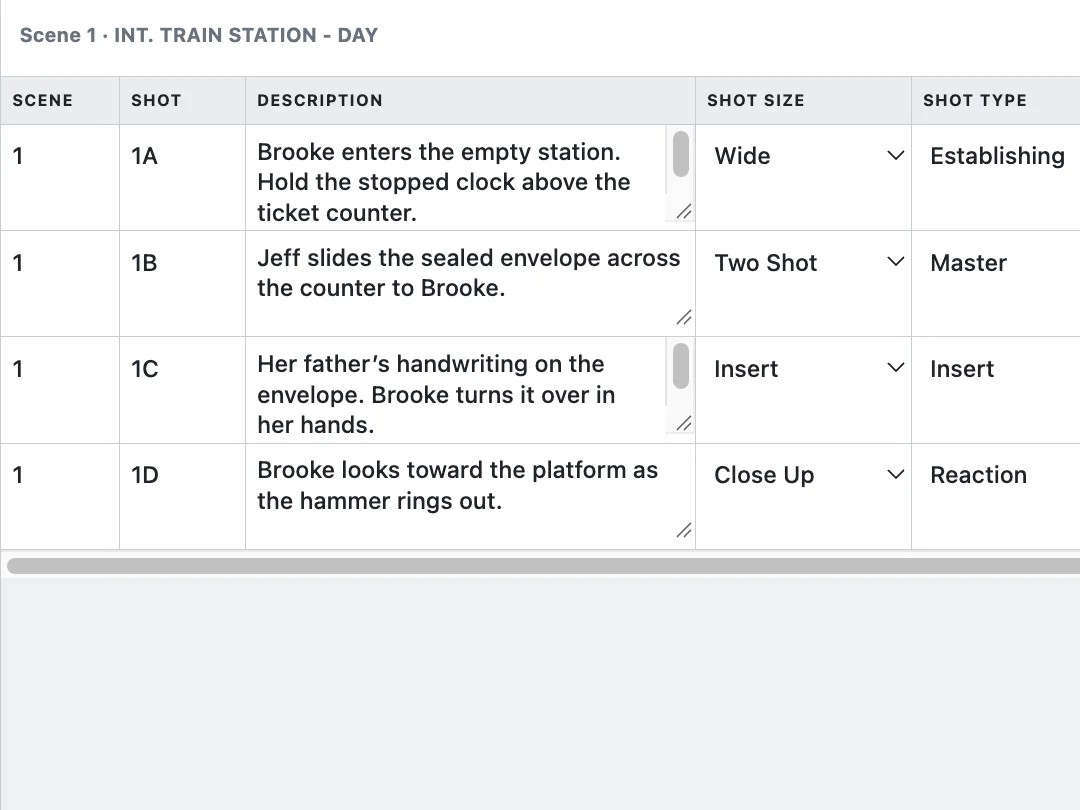
List each setup next to the scene it covers. A shot records its size, type, camera, lens, angle and movement, and the list keeps a running estimate of the time you will need.
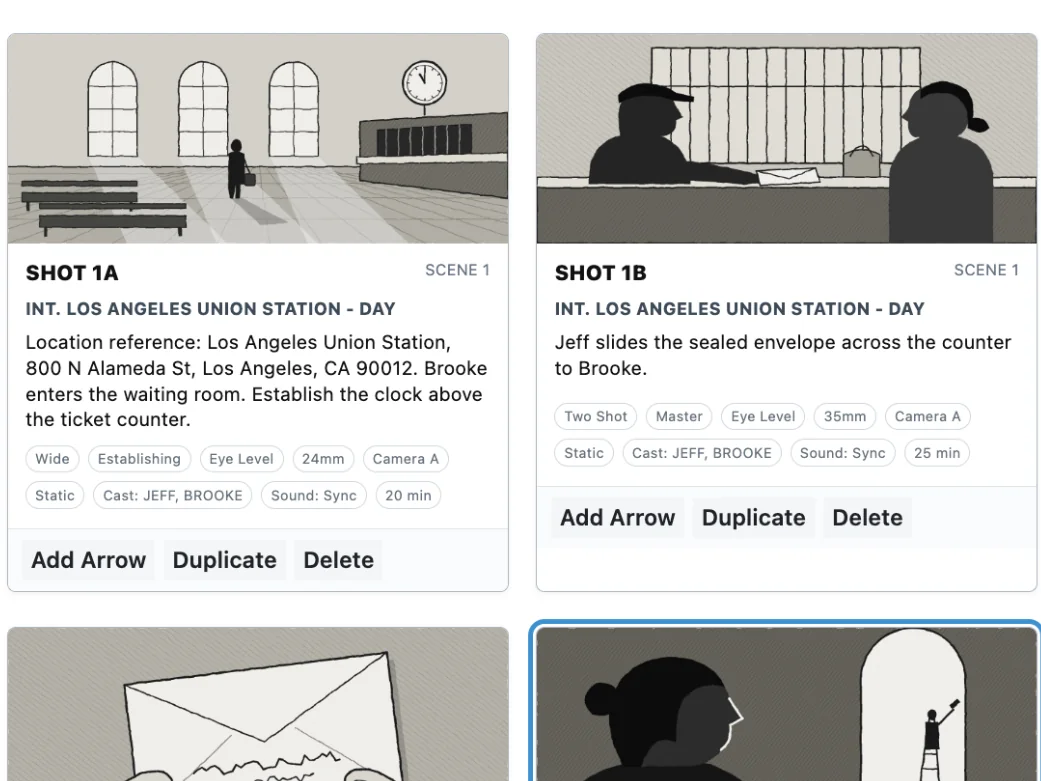
Give each shot a frame, a caption and its camera details. Choose the aspect ratio, add arrows for movement and present the board when it is ready.
The four sketches are illustrative art drawn for this sample.
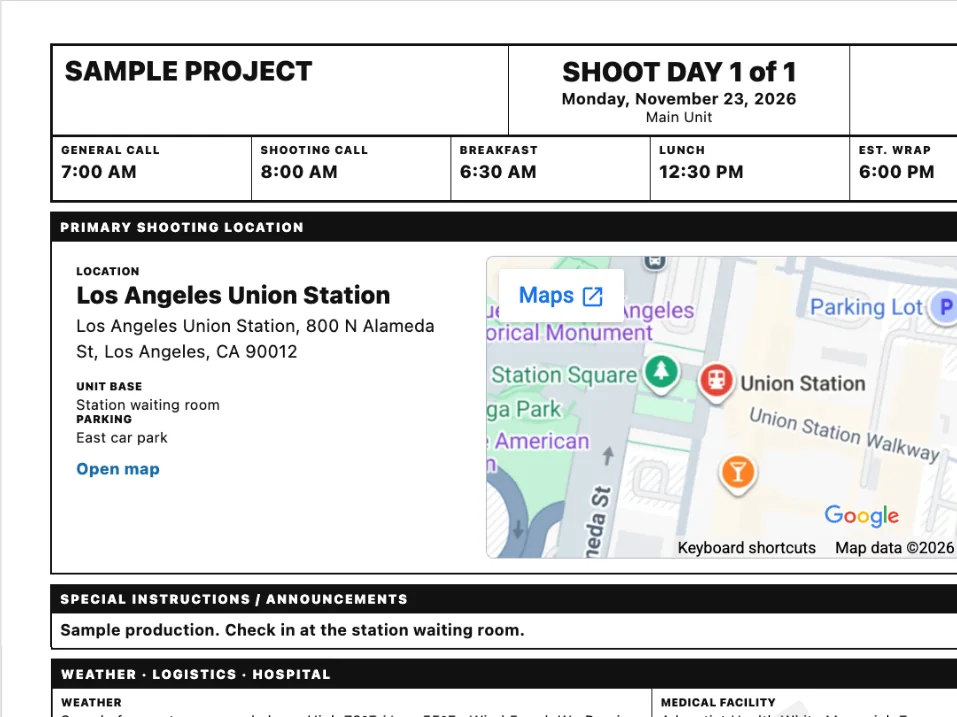
Import a shoot day from the schedule and the call sheet picks up its scenes and cast. Set the call times, add the location with a map, then issue a version and send it.
Map data ©2026 Google, shown as it appears in the app.
Each stage has a button that sends the script and its details to the next one.




Shot List and Storyboard are optional. Leave them out and the project still runs from Draft to Call Sheets.
Already have a screenplay? Import it into Draft and pick up from there. Outline is for the stories that are not written yet.
The schedule, shot list, storyboard and call sheet each print or save as a PDF, so the crew gets pages they can carry.
Every scene becomes a strip with its number, interior or exterior, day or night, cast IDs, shooting location and page count. Put the strips in shooting order and break them into days. The panel beside the board totals the scenes and pages for each shoot day.

Docs, Budget, Forms and CRM sit beside the workflow, not inside it. Open one whenever you need it. Each works on its own, and none of them has to be finished before you write or schedule.
A word processor for treatments, notes and production documents, kept in folders with templates and versions.
Build the production budget account by account, above and below the line, with running totals as you enter figures.
Production paperwork such as releases. Start from a template, then add, rename or remove fields until the form fits your shoot.
Professional address book to keep contact info of cast, crew, vendors, and location, with notes and interaction log for each contact.


Start with a 7-day full-feature trial. It costs $0 today, with a payment method required, and it includes the entire suite and one full project. After 7 days, the billing you selected begins unless you cancel.
Choose Subscribe to skip the trial and start your plan today. Applicable tax and any local-currency price are shown at checkout. You can cancel anytime; see Cancellation & refunds.
$15USD / month
Choose Yearly and save $30 (two months free).
Monthly billing renews every month until you cancel. With a trial, the first charge is when the 7 days end; with Subscribe, it is today. Prices in USD.
Nothing is charged when the trial starts. After 7 days, the plan you selected, monthly or yearly, begins automatically unless you cancel first.
Yes. A payment method is required to start the trial, and $0 is charged today. One trial per account and email.
Go to Account, then Manage billing, then Cancel subscription. You will see your refund amount and access end date before you confirm. Monthly payments are not refunded, and access continues to the end of the paid period. A yearly plan is refunded as the annual payment minus the monthly price for each month started. The full terms are in Cancellation & refunds.
No. Use the stages your production needs. Shot List and Storyboard can be skipped without breaking the project, and the Office apps work on their own.
Yes. Draft works with FDX, Fountain, Word, RTF, TXT and PDF files, and exports PDF, Word and FDX.
One full project during the 7-day trial. Unlimited projects with a subscription.
No. Slate Runner runs in your web browser.
The 7-day trial includes the entire suite and one full project.